How to Scan Handwritten Notes to Your Calendar with AI
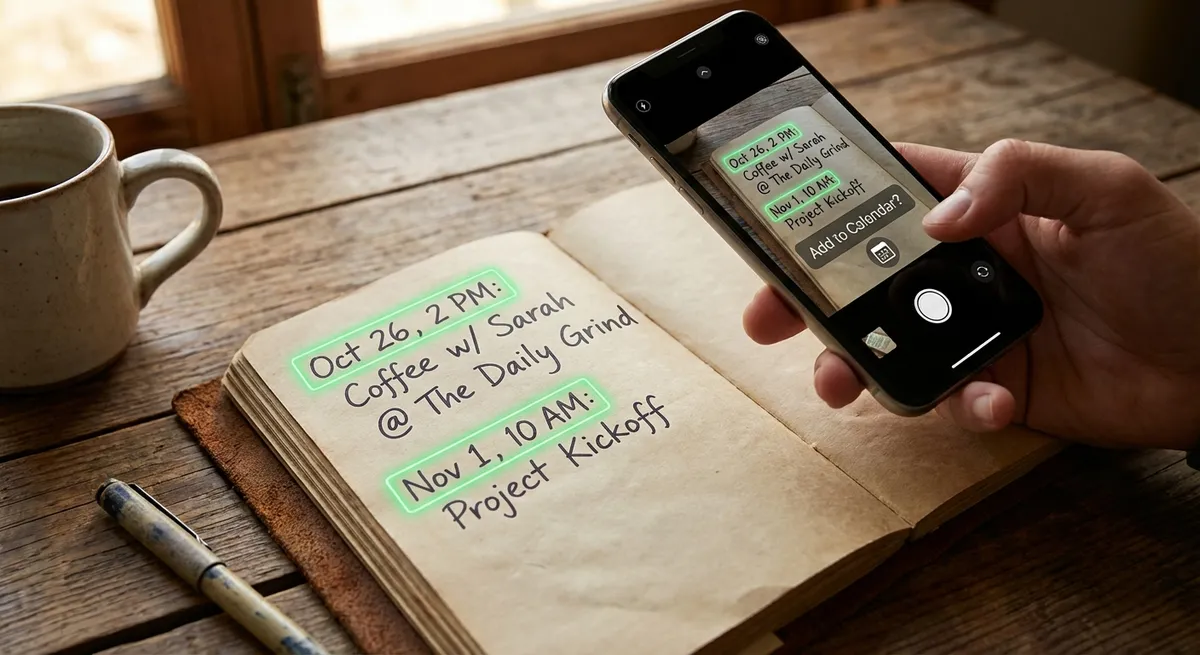
Despite our digital world, handwriting remains everywhere. Sticky notes on your desk. Meeting notes in a notebook. A doctor's next appointment scrawled on a card. Action items on a whiteboard. A friend writing down party details on a napkin.
Each of these contains scheduling information that needs to reach your calendar. But typing handwritten notes into a calendar app is tedious, especially when the handwriting is messy or abbreviated.AI handwriting recognition changes the equation entirely.
Why Handwritten Notes Are a Calendar Blind Spot
Digital calendar apps have gotten good at capturing events from digital sources — emails, websites, shared links. But they're blind to the analog world:
- Doctor/dentist offices hand you cards with your next appointment
- Meeting notes include follow-up dates scratched in margins
- Teachers write assignment due dates on the board
- Coaches hand out handwritten practice schedules
- Friends write event details on scraps of paper
- Brainstorming whiteboards end up full of deadlines
Photo2Calendar bridges this gap with AI that reads handwriting and converts it to structured calendar events.
Try Photo2Calendar free on iOS or Android.
How Handwriting Recognition Works
Photo2Calendar uses advanced AI to process handwritten text:
- Image preprocessing: Adjusts contrast, reduces noise, and enhances text visibility
- Character recognition: Identifies individual letters and numbers, even in cursive
- Word formation: Assembles characters into words using linguistic context
- Entity extraction: Identifies dates, times, and locations from the recognized text
- Calendar formatting: Structures extracted data into a proper calendar event
Tips for Best Handwriting Recognition Results
Photo Quality Matters
- Good lighting: Ensure even, bright lighting with no shadows
- Flat surface: Lay the paper flat to avoid distortion
- Fill the frame: Get close enough that text is large and clear
- Focus: Tap to focus before taking the photo
- No glare: Especially important for whiteboards and glossy paper
Handwriting Tips
- Size matters: Larger text is easier to recognize than tiny scribbles
- Spacing: Leave clear space between words
- Dark on light: Dark ink on white/light paper works best
- Print vs. cursive: Print-style writing yields ~95% accuracy; cursive ~85%
- Avoid abbreviations: "Jan 15" is better than "J15" for the AI
Common Scenarios
Doctor's Appointment Card
The receptionist hands you a small card: "Dr. Martinez — March 12, 10:30 AM — Building B, Room 204." Photograph the card. Photo2Calendar creates: "Dr. Martinez appointment," March 12, 10:30 AM, "Building B, Room 204."
Meeting Notes with Follow-Ups
During a meeting, you jot down: "Follow up with Sarah re: budget — April 3" and "Send proposal to client by April 5." Photograph your notes page. The AI creates two events with the appropriate dates.
Whiteboard Action Items
The brainstorming board shows:
Sprint review — Fri 3pm
Design mockups due — March 20
Client presentation — March 25, 2pm, Main conf room
One photo, three calendar events. Compare that to typing each one manually — see our manual entry comparison.
Sticky Notes & Reminders
That sticky note on your monitor that says "Pick up cake — Saturday 2pm — Main Street Bakery"? Photograph it, save the event, and throw the sticky note away. Your calendar is the better reminder system.
Student Lecture Notes
Professors often announce dates verbally. You write them down: "Midterm: Nov 15, 9am, Hall C." Scan your notes and the exam is in your calendar with time to prepare. See our school schedules use case.
Handwriting vs. Other Input Methods
| Method | Speed | Best For |
|---|---|---|
| Handwriting scan | 5-8 seconds | Physical notes, cards, whiteboards |
| Photo of printed text | 3-5 seconds | Flyers, posters, tickets |
| Text paste | 3-5 seconds | Emails, messages, websites |
| Voice input | 5-10 seconds | Hands-free situations |
| Manual typing | 45-90 seconds | Creating events from scratch |
For the complete input method guide, see Automate Calendar Entry from Any Source.
Get Started
Your handwritten notes are full of scheduling information. Stop leaving them on sticky notes and notebooks — get them into your calendar where they belong.
Download Photo2Calendar free on iOS or Android and scan your first handwritten note today.