School Schedules: Scan Class Timetables, Exam Dates & School Events
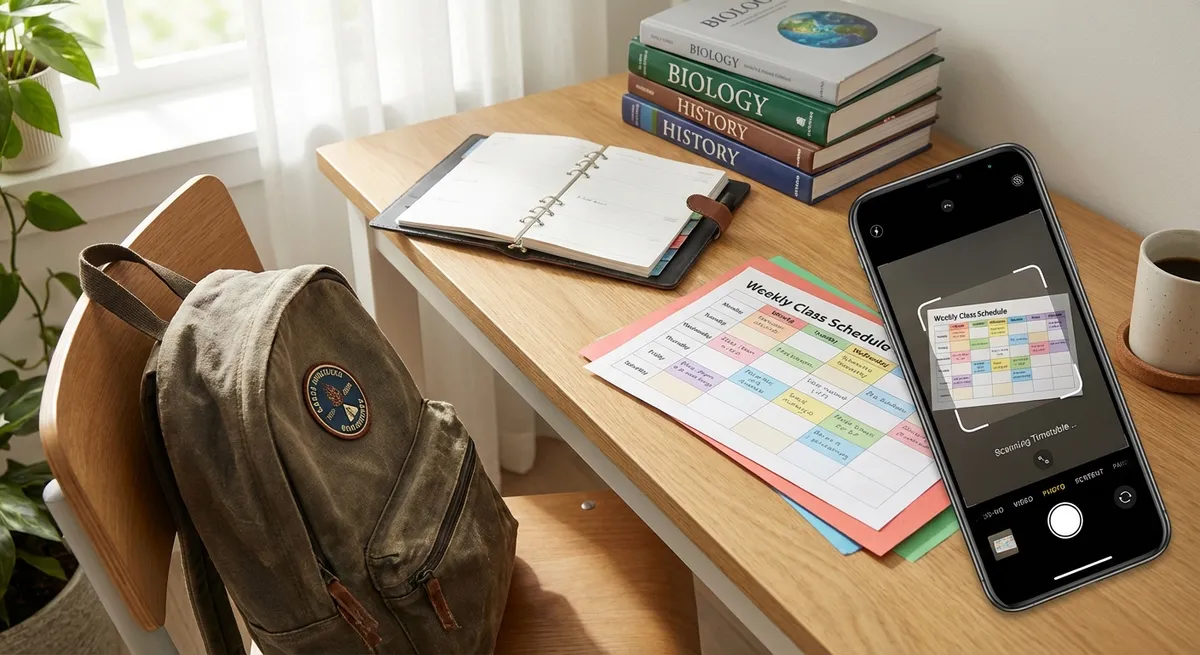
Every September, parents face the same ritual: a stack of papers from school — class schedules, extracurricular timetables, exam calendars, parent-teacher conference dates, school holiday lists, and field trip permission slips. Getting all of this into a digital calendar is traditionally an hour-long chore.
With Photo2Calendar, it takes minutes. Scan each schedule and the AI does the heavy lifting — extracting dates, times, and details into properly formatted calendar events.
The School Calendar Problem
School event information comes in many forms, and it's rarely digital-friendly:
- Printed class timetables — often a grid with days and times
- Exam schedules — posted on bulletin boards or handed as sheets
- School newsletters — dates buried in paragraphs
- Parent-teacher conference sign-ups — physical forms
- Extracurricular schedules — practice times, game dates
- Holiday calendars — school closure dates, half days
- Field trip forms — dates, departure times, pickup times
Parents managing multiple children multiply this complexity. A family with three school-age children might need to track 100+ school-related events per semester.
Try Photo2Calendar free on iOS or Android.
How to Digitize Your School Schedule
Class Timetables
The most important document at the start of each term:
- Photograph the class timetable (ensure it's flat and well-lit)
- Photo2Calendar identifies each class slot with day, time, subject, and room
- Review the events — each class becomes a calendar entry
- Save and set recurring (weekly) in your calendar app
Result: An entire semester's class schedule in your calendar in under 2 minutes.
Exam Schedules
Exam timetables are critical — and stressful when misread:
- Photograph the exam schedule posted at school or printed on a handout
- The AI extracts: subject, date, time, and room for each exam
- Each exam becomes a separate calendar event
- Add reminders (1 week before for study prep, 1 day before, 2 hours before)
School Events & Activities
Sports days, science fairs, music concerts, art exhibitions, parent-teacher nights — schools pack the year with events. Scan the event calendar (usually distributed on paper or posted in hallways) and have every event in your calendar.
Extracurricular Activities
Soccer practice schedules, music lesson times, drama rehearsals, swim team meets — these often come as handwritten notes from coaches or small printed schedules. Photograph them and Photo2Calendar extracts the events. For handwriting best practices, see our handwritten notes guide.
Setting Up a Family School Calendar
Step 1: Create Color-Coded Calendars
If you have multiple children, create a calendar for each:
- 🔵 "Emma — School" (blue)
- 🟢 "Max — School" (green)
- 🟡 "Sophie — School" (yellow)
- 🔴 "Family — School Events" (red — for events all parents attend)
Step 2: Scan & Assign
When scanning a schedule, save it to the appropriate child's calendar. This way, each child's commitments are color-coded and easy to distinguish when viewing the family's unified calendar.
Step 3: Share with Family
Share all school calendars with both parents and, for older children, with the students themselves. Everyone can see who needs to be where and when — eliminating the "I didn't know about that" excuse.
Step 4: Weekly Review
Sunday evening: review the upcoming school week. Check for overlapping events (two kids' concerts on the same night?), early dismissals, required materials, or permission slips due.
Real-World Example: The Johnson Family
The Johnsons have three kids in different schools. At the start of the year, they use Photo2Calendar to:
- Scan each child's class timetable — 3 photos, 45 events created
- Scan the school holiday calendar for each school — 3 photos, 30+ events
- Scan extracurricular schedules (soccer, piano, swimming) — 4 photos, 20+ events
- Scan the school newsletter with upcoming events — 2 photos, 12 events
Total: 95+ events added to the family calendar in under 15 minutes. Manually, this would have taken over 2 hours.
Tips for Students
Students can use Photo2Calendar too — especially in high school and college:
- Scan the lecture schedule at the start of each semester
- Photograph assignment due dates written on whiteboards
- Scan exam schedules posted outside department offices
- Photograph study group meeting times
- Scan library hours and lab availability schedules
For comprehensive study planning strategies, check our Calendar Management Guide.
Get Started
School life doesn't have to be a scheduling nightmare. Download Photo2Calendar on iOS or Android and scan your child's school schedule today. The entire semester, organized in minutes.