Wedding Planning Made Easy: How to Manage All Your Wedding Events with AI
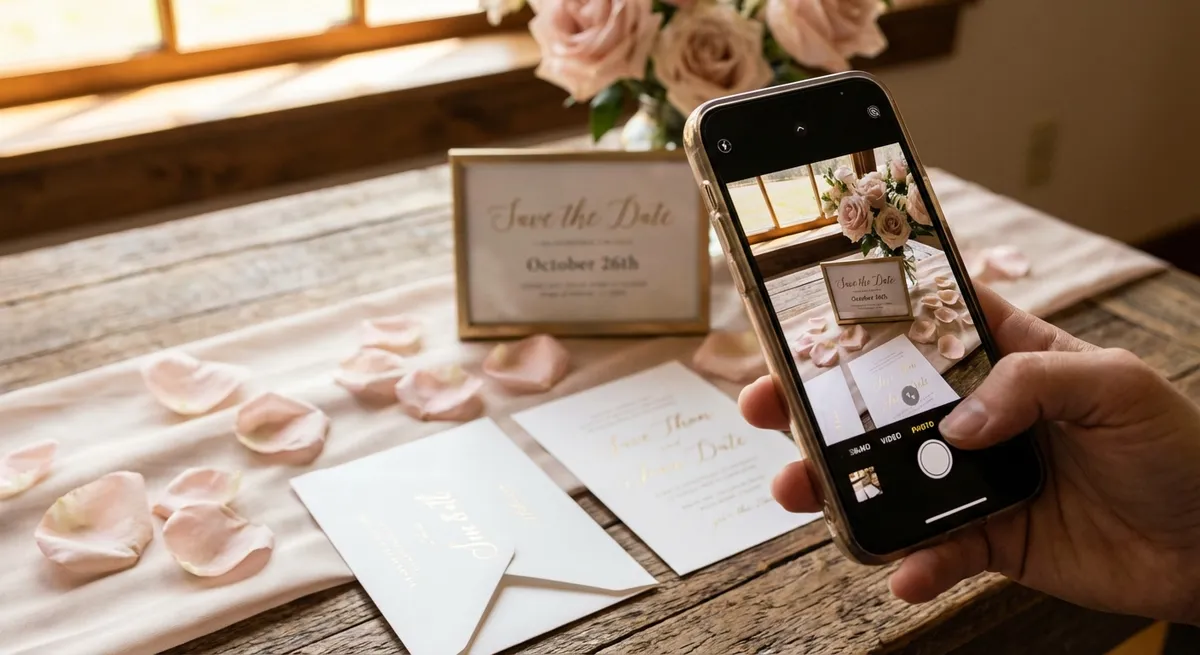
Planning a wedding involves juggling an incredible number of events, appointments, and deadlines. From venue visits and cake tastings to dress fittings and photographer meetings — the average wedding involves over 50 scheduled events in the months leading up to the big day.
Missing even one — a vendor payment deadline, a final fitting, a rehearsal time — can cause disproportionate stress. Your calendar is your best defense against wedding planning chaos, and AI makes it effortless to keep it updated.
The Wedding Planning Calendar Challenge
Wedding planning generates event information from dozens of sources:
- Printed invitations and save-the-dates from other weddings
- Venue contracts with site visit dates
- Caterer tasting appointments (often hand-written on a business card)
- Vendor emails with meeting times and deadlines
- Bridal shop fitting schedules
- Photographer and videographer session times
- DJ or band rehearsal schedules
- Travel bookings for destination weddings
Trying to manually track all of these across sticky notes, email, and text messages is a recipe for forgotten appointments and unnecessary stress.
Try Photo2Calendar free on iOS or Android.
How Photo2Calendar Simplifies Wedding Planning
Scan Wedding Invitations
Attending multiple weddings in a season? Photograph each invitation and Photo2Calendar creates events for the ceremony, reception, and any associated events (rehearsal dinners, brunches). The AI reads even elaborate invitation fonts and extracts dates, times, and venue addresses.
Capture Vendor Details Instantly
When a florist hands you a business card with your consultation date, or a baker writes down your tasting appointment — snap a photo. The event is in your calendar before you leave the shop.
Process Venue and Vendor Contracts
Wedding contracts are full of important dates: deposit deadlines, final payment dates, setup times, rehearsal access. Photograph the relevant pages and let Photo2Calendar extract each date into a separate calendar event with the appropriate reminder.
Digitize Pinterest and Magazine Notes
Planning sessions often generate handwritten notes with dates and to-dos. Scan your planning notebook pages to capture any scheduled items. See our handwritten notes guide for tips on getting the best recognition results.
Setting Up Your Wedding Calendar System
Step 1: Create a Dedicated Wedding Calendar
In your calendar app (Google Calendar, Apple Calendar, or Outlook), create a new calendar called "Wedding" with a distinctive color. This keeps wedding events separate from your regular schedule while still visible in your unified view.
Step 2: Add Key Milestones
Work backwards from the wedding date to schedule milestones:
- 12 months out: Book venue, photographer, caterer
- 9 months: Choose wedding party, start dress shopping
- 6 months: Send save-the-dates, book DJ/band, florist
- 3 months: Send invitations, plan honeymoon, final fittings
- 1 month: Final vendor confirmations, seating chart, rehearsal
- 1 week: Final walkthrough, pick up dress, confirm transportation
Step 3: Scan Everything as It Comes
Build the habit: every business card, email confirmation, or written note with a date gets scanned immediately with Photo2Calendar. Don't save it for "later" — later is when things get forgotten.
Step 4: Share with Your Partner
Share the Wedding calendar with your partner (and wedding planner if applicable). Everyone stays on the same page, and double-booking becomes impossible.
Real Wedding Planning Scenario
Sarah is planning her wedding in 6 months. Here's how she uses Photo2Calendar in a typical week:
- Monday: Receives email from florist with consultation date → copies text into Photo2Calendar → event created
- Tuesday: Visits bridal shop, given appointment card for fitting → takes photo → event in calendar
- Wednesday: Friend sends WhatsApp with bridal shower details → screenshots → imports into Photo2Calendar
- Thursday: Reviews catering contract with three important dates → photographs page → three events created
- Friday: Venue sends PDF with rehearsal schedule → imports PDF → rehearsal events added
Total time spent on calendar data entry: under 2 minutes for the entire week. Total events captured: 7+.
Beyond the Wedding: Honeymoon Planning
Once the wedding details are locked, use the same workflow for honeymoon planning. Scan flight confirmations, hotel bookings, tour reservations, and restaurant bookings. See our travel itineraries guide for a complete workflow.
Get Started
Wedding planning is stressful enough without worrying about missed appointments. Let Photo2Calendar handle the calendar data entry so you can focus on what matters — celebrating your love.